
Project Overview
In this case study, I explored the process of managing the design and development of an AI-powered Note Taker and CRM system tailored for the financial industry. This system integrates cutting-edge AI capabilities to assist professionals in effectively capturing meeting notes, summarizing discussions, and managing customer relationship data. The solution also integrates seamlessly with various CRMs, calendars, and other tools, offering a comprehensive platform for streamlining communication and boosting productivity. The project involved building a complex architecture that addressed user workflows, feature functionalities, and detailed technical requirements.
Product Management Approach
Throughout the project, I played a key role in product management, overseeing the creation of a detailed architecture for the system. The process involved mapping out the entire system architecture, which included the workflow and ensured that all components fit together cohesively. Key to this effort was the creation of comprehensive documentation that outlined the system’s features, functionalities, and database structure.

By leveraging Figma, Figjam, Confluence, and Jira, I documented and mapped all aspects of the project, ensuring a clear understanding of how all elements connected and worked together to deliver an intuitive user experience.
Architecture Overview
The system’s architecture was designed to be modular, with clear separations between different functionalities. This allowed for better scalability and maintenance while ensuring a seamless user experience. The core components of the architecture included:
- AI-Driven Interaction Engine: This is the central feature, where AI listens to conversations, transcribes them, and generates meeting summaries. The system also identifies key takeaways, tasks, and insights, significantly reducing user manual note-taking time.
. - CRM Integration: The platform integrates with multiple CRMs to track user interactions, tasks, and customer information, ensuring a smooth transition between meeting notes and CRM actions. This feature supports integrations with popular platforms and ensures data synchronization across all channels.
.

. - Database Structure: To support the storage and retrieval of user data, including meeting notes, task assignments, and customer records, the system was designed with a robust database architecture. This included the creation of various tables for users, meeting records, tasks, and CRM-linked data.
.
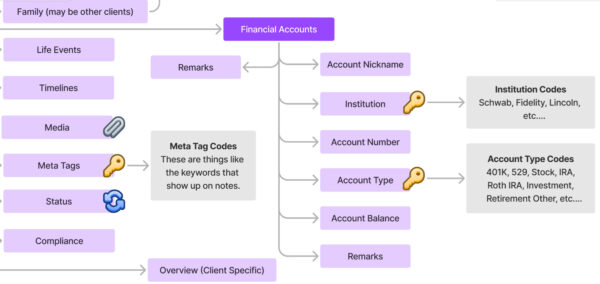
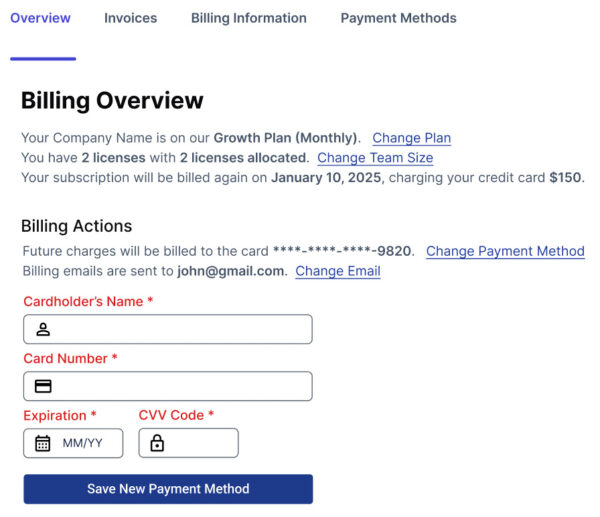
. - User Interface: A clean and responsive UI was developed, with components in Figma representing all the key design elements. The UI was designed with accessibility in mind, ensuring it was easy to navigate for users with varying abilities.
.
 .
.
Mapping Features to Functionality
One of the most crucial steps in the project was mapping out the relationship between features and their corresponding functionalities. This helped us visualize how every system component would work together to meet user needs. Some of the key features mapped to functionality included:
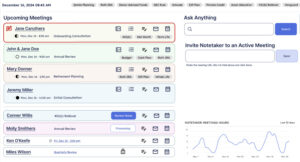
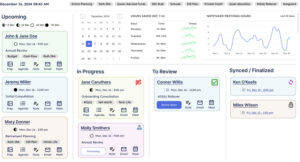
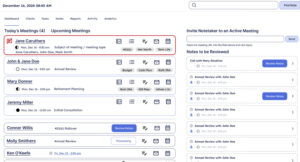
- User Dashboards: Customizable dashboards were created where users could view recent meetings, tasks, and customer interactions. These dashboards were designed to allow quick access to all vital information. Three unique dashboard designs were provided, catering to different user needs.
.
 .
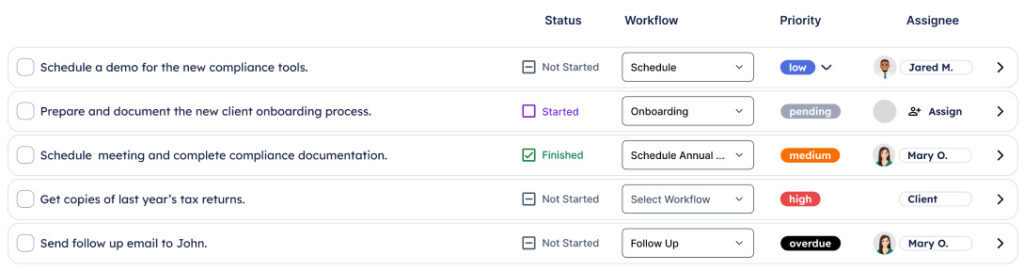
. - Task Management: Integrated task lists were linked to meetings and customer records. Tasks were automatically assigned to relevant individuals based on the meeting discussion, helping ensure that actions were followed up on promptly.
.
 .
. - Data Synchronization: The system automatically synced data between the AI and CRM, ensuring no information was lost and providing a seamless experience across platforms.
Documentation & Tools Used
To ensure that all team members understood the system’s structure and functionality, I used a combination of tools to document and track progress:
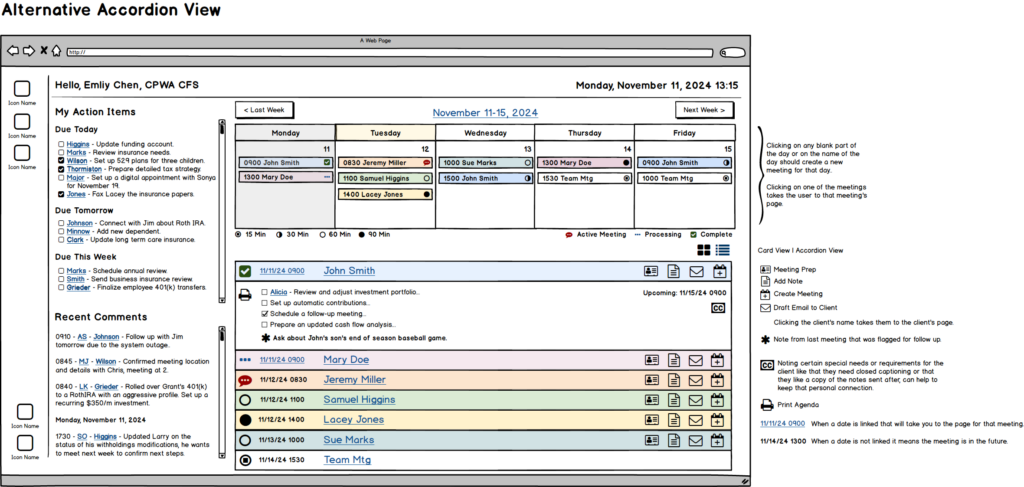
- Figma: I used Figma to create detailed UI wireframes and design systems, ensuring the interface was visually aligned with the functional requirements. Balsamiq was used for low-fidelity wireframes.
.
 .
. - Figjam: Figjam was used to create flowcharts and diagrams that mapped out workflows, illustrating how users would interact with the system and how data would flow through the platform.
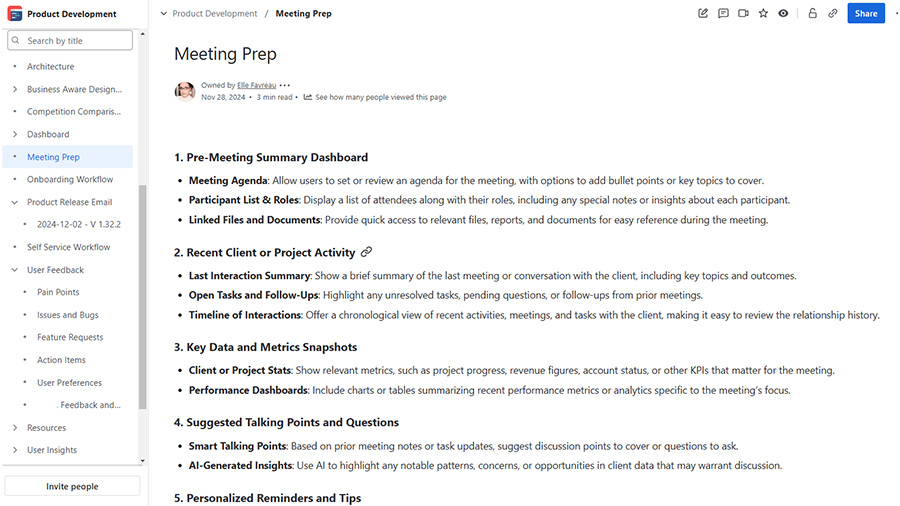
. - Confluence: All technical and product documentation was organized in Confluence, where I outlined the architecture, feature descriptions, technical specifications, and user stories. Confluence served as the central hub for all project-related information, ensuring transparency and ease of access for all stakeholders.
.
.
.
. - Jira: For task management and tracking development progress, Jira was used to create epics, stories, and tasks, ensuring the team could deliver each functionality on time.
Conclusion
The system’s architecture was designed to be flexible, scalable, and user-friendly, making it a valuable tool for professionals. By documenting every element of the system, from the user interface to database fields, I ensured that all aspects of the product were aligned with user needs and business goals. The tools used for documentation, including Figma, Figjam, Confluence, and Jira, were integral in bringing the vision to life and ensuring that the development team could execute the plan effectively.
This project not only helped streamline client interactions and improve productivity but also laid the groundwork for future scalability as the users’ needs evolve.
Skills
- Agile Leadership
- SAFe
- Scrum
- Database Design
- Design
- Figma
- Figjam
- Graphic Design
- Photoshop
- Illustrator
- Information Architecture
- Presentation
- PowerPoint
- Product
- Product Documentation
- Confluence
- Jira
- Product Management
- Roadmapping